

Category:
developers journal
Finally a built in free screenshot tool in Vista
I’ve accidentally discovered that Vista comes with a nice little screenshot grabbing utility called Snipping Tool. Click on Vista orb down left and type in “snip” into “Start search” input. It sure isn’t feature packed as HyperSnap DX, but it comes in handy when you have to screenshot something in a hurry.
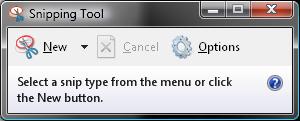
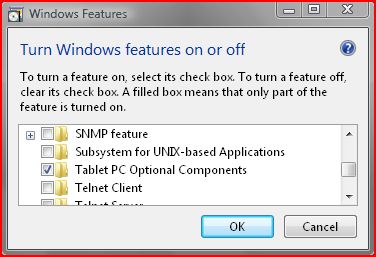
Btw, if you can’t see Snipping tool in your Vista, go to Control Panel / Programs and Features, click on Turn Windows features on or off, and make sure Tablet PC Components is checked. Why they put it there, I don’t know.
3 thoughts on “Finally a built in free screenshot tool in Vista”
June 4, 2009 at 14:03
Hold on for just a few more versions and it might even capture PrntScr (or god forbid Alt+PrtScr) keypresses and ask you where to save the image :)
June 4, 2009 at 15:02
I didn’t say it’s perfect tool, FAR from it. :) It’s Microsoft dood.
It’s beyond me why they haven’t implemented hotkey support.
Also iritating bit is window snip mode which only works for capturing whole window, and not elements inside of that window (eg. screenshoting only a video inside video player is not possible).
Btw ZYT, I tought you are on UBUNTU?? ;)
June 4, 2009 at 16:50
I am, and the thing I talked about above is exactly how Ubuntu does it by default :)
But I have a few virtual machines laying around just to test stuff out, we all know it’s a must for webdev :)